WhatsApp is an official and secure app used for online communication and connecting with loved ones. With the overall message integration, many users are interested in finding out the trusted routes. So reliable paths will be helpful for them, as they will only have a secure online experience. Parents can control the kids’ online safety, and employers can check business devices to prevent confidential data leakage. The new WhatsApp tracker apps provide more sophisticated features, including chat logs, voice and video calls, and media files. Real-time monitoring functions are also offered in these applications and help the user to have a better understanding of the activity of the device.
Since there are numerous applications, it is easy to be confused when selecting the right one unless there are clear comparisons and well-structured directions. Our startup aims to direct users to reliable user monitoring tools that would aid safety but remain within the ethical scope. We are talking about such advanced WhatsApp tracking apps in this blog to provide the reader with the opportunity to make informed and responsible decisions.
What is WhatsApp Tracker App and What Does it Do?
A WhatsApp tracker app can monitor and log the WhatsApp daily usage activity on a smart device with the user’s permission. The tools are primarily used to supervise and maintain devices and track communication patterns on WhatsApp.
What Does a WhatsApp Tracker Do?
- Chat Monitoring: List the messages received and sent on WhatsApp, along with the time they were received and the names of the people.
- Record WhatsApp, Voice, and video calls with history: Store all your WhatsApp, voice, and video call recordings with history in the FonSee tracker app online dashboard.
- Saves Media: Saves shared images, videos, audio, and document files.
- Recalls Deleted Messages: Rebuilds destroyed chats or conversation messages.
- Offers Live Updates: Displays live activity on WhatsApp as soon as it occurs on the device.
- Tracks WhatsApp Status: Saves Stats viewed or set by default.
Best WhatsApp Monitoring Apps for Android Phones
Learn more about the Android WhatsApp tracking applications that provide real-time updates, track messages, and offer an in-depth view of usage.
FonSee
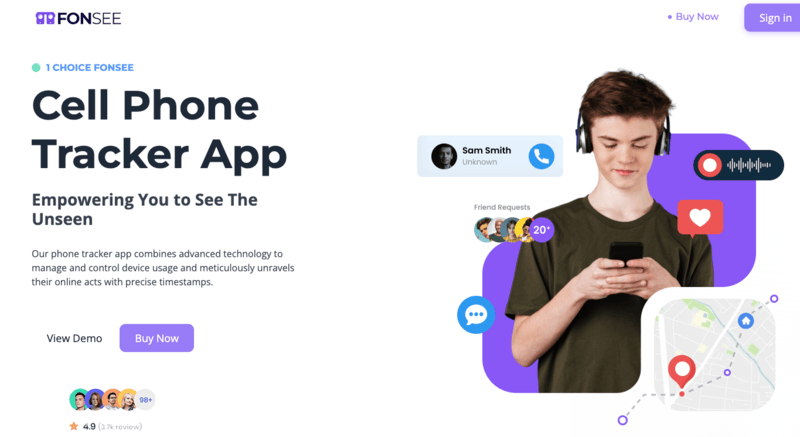
The popular WhatsApp monitoring software, FonSee, is the most effective in monitoring images, calls, and messages. FonSee WhatsApp tracker, which is offered to those users who require specific information about the device activity. The app is very precise and accurate in capturing media-sharing, voice, and video-call patterns.
Its multi-node synchronization engine can back up information with high efficiency but remain reliable to all the other devices joined to it. Stealth mode will run in the background, without disrupting or being noticed, watching the activity of the devices everywhere.
FonSee is valued by parents and employers for its ability to record deleted messages and mark suspicious or even dangerous conduct with the utmost efficiency. On the whole, FonSee is a lightweight digital forensic tool that is also simple and easy to use, making it accessible to anyone.
Key Takeaways
- Check deleted WhatsApp messages and the multimedia with great accuracy.
- Track the WhatsApp activity in depth.
- Stealth mode becomes inseparable from the system to be used in the quiet background.
- Supplies metadata of images, audio, and videos in detail.
- An effective dashboard system to check the chats and activities.
- Saves information without losing it.
Cons
Required device access for the app installation
TheOneSpy

TheOneSpy provides a powerful WhatsApp tracker tool commonly used for parental control and internal organization monitoring. Its automated screen recording uses the WhatsApp activity magnetically and provides almost real-time playback. TheOneSpy has a feature that enables it to readily identify risky or abrupt message changes. Track WhatsApp activity with confidence. TheOneSpy offers 100% secure WhatsApp screen recording in real-time
The device is also controlled by authorised users who transmit remote commands directly to the dashboard, ensuring they are effective and secure. On the whole, TheOneSpy is an integrated platform and is a complex of the considered monitoring and remote management of devices.
Pros
- Comprehensive monitoring of the enterprise system with an in-depth level of telemetry.
- It is easy to see App activity through TheOneSpy WhatsApp screen recording automation.
- The camera, mic, and apps can also be controlled using remote command features.
- Good graphical analysis of contacts and patterns of communication.
- The analysis of social behavior assists in detecting suspicious trends in messages.
Cons
The features are well-developed and might appear overwhelming initially, but they get simplified over time.
OgyMogy

OgyMogy is a trusted WhatsApp monitoring application that provides reliable and efficient monitoring to parents and employees. The application generates a full end-to-end shadow of WhatsApp messages, audio-video call conversations, and media files.
OgyMogy is outstanding at organizing the WhatsApp media and is best suited to display the location where messages were posted. Parents would be able to obtain more precise information about their children’s activity in WhatsApp, such as the frequency of messages, contacts, and location-based patterns.
Generally, OgyMogy is a full-fledged, regular observation that has advanced facilities for managing and interpreting the device communications in depth.
Pros
- Accurate WhatsApp shadowing of activities in chats, calls, groups, and media.
- Scheduled logging engine continues to be active on force-close.
- Cloud storage optimization prevents redundancies in the storage facility.
- Geo-tagged-event provides a conversation history that is unaware.
- Seamless information transfer and structured media acquisition.
- Good with those parents who want consistency in online monitoring.
Cons
Only a little battery might be consumed by background services on old devices.
ClevGuard (KidsGuard Pro)

ClevGuard is a potent WhatsApp monitor and a powerful tracker that precisely extracts the activity of users, and is also referred to as KidsGuard Pro. It operates on database parsing to obtain messages, chats, contacts, and metadata on the attachments safely. The app can extract WhatsApp backup files, restoring conversations with timestamps and media on Android devices that support it.
On non-rooted devices, ClevGuard shows notifications and executes background services to restore the activity almost in real-time. The application automatically stores viewed statuses, the call log, and all multimedia files in their original quality. Its simplistic interface, quality reporting, and dependability are its main assets to its parents. All in all, ClevGuard provides in-depth analysis of WhatsApp usage and is a rich blend of both powerful extraction and a convenient dashboard experience.
Pros
- Extraction of the database and chat with high precision.
- Retrieves and recreates backup files into verbatim conversations.
- Nomadic capacity to monitor non-zero root devices in real time.
- Superior reporting capabilities that are suitable for parental oversight.
- Real-time monitoring of statuses, call logs, and media files.
- Simple and easy-to-use dashboard.
Cons
More in-depth features are well used in rooted gadgets.
Parsing of backups might require extra configuration.
FlexiSPY

FlexiSPY is a powerful monitoring software that provides advanced surveillance. The main strength is the ability to intercept and log WhatsApp VoIP calls and to restore them to a safe place. FlexiSPY running on Android devices, encrypted backups are decrypted at runtime. The app also includes ambient listening, camera capture, and remote control functions, which are effectively synchronized with WhatsApp’s activity records.
The event-based system in FlexiSPY automates the capture of recordings or snapshots when a specified number of contacts or keywords are found. This combination makes FlexiSPY one of the most technical, professional, and powerful solutions for advanced monitoring. In general,
Pros
- Archive WhatsApp calls on compatible devices.
- Advanced monitoring by extracting and decrypting at the root level.
- Sensitive contact event-based automation.
- Voice recognition and camera recording.
- Top-level forensic technology.
- Professional or enterprise applicable.
Cons
The best features presuppose root access, which some users do not prefer.
High-end is costly but commensurate with the performance.
mSpy

mSpy provides powerful surveillance to enable you to interceptively read outgoing and incoming WhatsApp messages, call records, and contacts, as well as review all the shared photos, videos, and voice notes.
Regarding the Phone, mSpy provides flexible tracking, iCloud remote synchronization, and USB connection. In the case of Android, mSpy places a stealth APK that monitors chats, call logs, and media files with trusted real-time updates. This is why it is a perfect add-on for any parent or anyone who needs the full view of WhatsApp, not just online status or simple logs.
Pros
- Operates under a pure stealth mode without the actual appearance of the app.
- Time-lapse photographs
- Visual demonstration is continuous.
Cons
- One physical installation is required, particularly on Android.
- Screenshots do not always correspond with actual action on the ground.
- Does not work well with a zero-install iPhone.
Qustodio
Qustodio is a popular WhatsApp tracking software designed for parents who want to monitor their children’s messaging activity and ensure online safety. It allows users to track WhatsApp usage, view contact interactions, and monitor overall app activity on Android devices.
While Qustodio does not always show full message content, it provides helpful insights, alerts, and screen time controls to detect suspicious behavior. With its easy-to-use dashboard and strong parental control features, Qustodio is a reliable option for families looking to supervise WhatsApp activity responsibly and safely.
Qustodio has a cloud-based dashboard that provides a centralized and easy-to-read interface to manage all the WhatsApp traffic in a very easy way.
Pros
- Easily monitors messages and blocks the app
- Viewed or posted tracks’ status.
- Real-time alert of activity.
- Cloud dashboard is well structured and easy to understand.
- Accessible user setup/configuration.
Cons
There are functions with additional permissions.
It is possible that some minor delays can exist because of network problems.
How to Choose the Best WhatsApp Tracking App
When choosing a reliable WhatsApp tracker app, focus on its reliability, precision, and ease of use. Find such features as chat monitoring, Call logs, media capture, status, and instant notifications. The intuitive dashboard and easy configuration make the application easy to use, and stealth mode allows it to run silently in the background. Focus on the accuracy of data, safe storage, frequent updates, and support. Lastly, compare properties at a discounted price and check reviews or reputation conditions by the customers to make sure that you receive a quality offer and reliable work.
Reason Why Fonsee is the Best & Trusted for WhatsApp Monitoring
FonSee is a next-level monitoring tool that provides users with accurate information on messages, calls, and shared content. The app can be used remotely as it works silently in the background and provides good monitoring without affecting the normal performance and use of the device.
Live WhatsApp Message Tracking
FonSee archives all WhatsApp communications in real time, including both incoming and outgoing chat history. There is a strict, exact record of the time and contact information of the user who sent a particular message, whether it’s a text, an emoji, or a link. Supervisors, parents, or the employer may see ongoing discussions, whether group or one-on-one, and develop immediate intuition. The dashboard is constantly updated, allowing you to quickly overview, reply to, or monitor any important interactions, even those that were subsequently deleted.
Deleted Message Recovery
FonSee can restore any deleted WhatsApp messages, whether deleted by mistake or intentionally, so the complete conversation log remains intact. With background monitoring captured and in operation, all the messages remain on-screen and visible. This will ensure that essential communications do not get lost or missed in the course of monitoring.
WhatsApp Voice & Video Call Recording
FonSee tracks all voice and video calls on WhatsApp and captures names of callers, their numbers, the length of time, and time stamps of calls. Call logs are displayed on the dashboard and can be compared directly with messages and media. This will assist the supervisors in monitoring the general trends in communication, and the calls will remain open and checkable.
Multimedia Capture
FonSee will automatically keep the pictures, videos, voice notes, and documents transmitted through WhatsApp. The files retain their original quality and metadata, such as the time they were created, the sender, and size, for reference. The dashboard systematizes all media files, enabling quick, effective filtering, searching, and downloading. Multimedia capture reinforces monitoring because the content is captured in a broader way than text, allowing the complete picture of the WhatsApp activity.
WhatsApp Screen Capturing
FonSee occasionally captures screenshots of WhatsApp usage, such as conversations, status, and interactive content. The screenshots capture the literal layout in real time, which is handy for tracking. Photographed pictures are automatically synchronized with the dashboard and sorted in time order for quick review. This additional monitoring ensures that the slightest interactions or changes on WhatsApp are tracked to the end.
How to Install the FonSee application on Android Devices?
FonSee is easy to install on an Android phone that meets the required specifications to be fully functional. These are the steps that are to be followed:
1: Purchase and Register
Visit the official FonSee site and choose a subscription plan that suits you. Register a free account using your email address and a password.
2: Prepare the Target Device
Ensure that the target Android device is consistent with FonSee. To accept external apps, enable the Enable Unknown Sources option in the pyramid of Security. Allow permissions to access location, storage, and notification to allow the app to be tracked.
3: Download and Install the App
Once the registration is done, click on the given download button and download the APK file to the target phone. Click on the file and install FonSee according to the on-screen options.
4: Configure the App
Go to Open FonSee and log in to your account. Provide the necessary accessibility and background permissions to monitor WhatsApp. To have the app run silently, on or off the Stealth Mode. After it is installed, you can access it using your computer or personal device. Now you can track WhatsApp messages, calls, media, statuses, and activity patterns in real time.
Important Alert!
Make sure the target device maintains a steady internet connection so it can be constantly monitored.
Conclusion
There are many WhatsApp tracker applications, each with a set of features to track messages, calls, and media. The correct selection of one should rely on its quality, convenience, and the possibility of monitoring.
FonSee is the best of the best: it provides real-time monitoring of sent messages and deletes Messages that can be easily recovered. FonSee is an amazing option for Android users who prioritize accuracy and trustworthiness.