
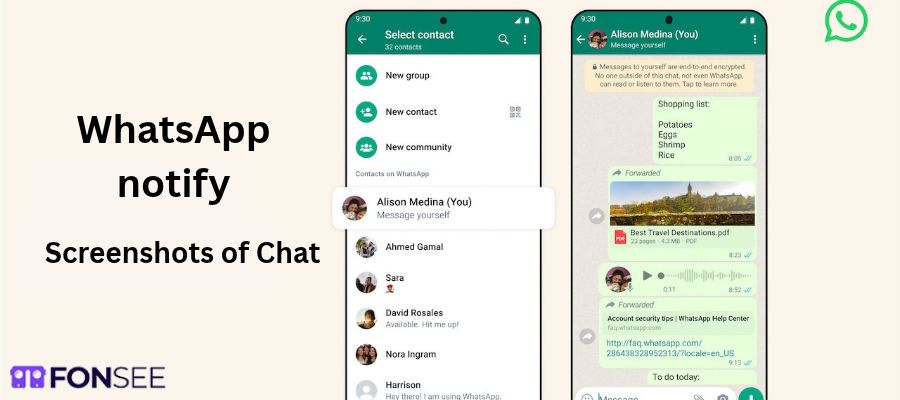
Have you ever wanted to screenshot a WhatsApp chat but worried the other person might find out? You are not alone. Many users want to save a conversation, keep an important message, or share a memorable moment. So, does WhatsApp notify screenshots?
No. WhatsApp does not normally notify someone when you screenshot a regular chat, Status update, or photo shared in a standard conversation. However, some content has screenshot restrictions. View Once photos and videos, for example, cannot be captured using the normal screenshot or screen-recording features.
The difference matters. A screenshot notification tells someone that a capture happened. Screenshot blocking prevents the capture itself.
Let’s look at what happens in each situation.
Does WhatsApp Notify Screenshots of Chats?
No. WhatsApp does not send a notification when you screenshot a regular conversation.
You can capture a message from an individual chat or a group chat. The other participants will not receive a screenshot alert.
This applies to ordinary text messages, shared photos, videos, and other content that allows screenshots.
For example, imagine a friend sends you an address. You take a screenshot so you can find it later. WhatsApp will not notify your friend about that action.
The same applies when you save an important conversation for your own records.
However, think carefully before sharing screenshots with other people. A conversation may contain private details. Respect the other person’s privacy, especially when messages include personal information.
Does WhatsApp Notify Screenshots of Status Updates?
No. WhatsApp does not normally notify users when someone takes a screenshot of their Status.
A Status update works much like a story on other social platforms. It can contain a photo, video, or text update. You can capture visible content without sending the person a screenshot alert.
For example, suppose a contact posts a photo of a place they visited. You take a screenshot to remember the location. They will not receive a notification that you captured it.
This is different from the Status view list. WhatsApp may show who viewed a Status, depending on read receipt settings. That does not mean it tells the poster who took a screenshot.
Remember: Viewing a Status and taking a screenshot are two different actions. Do not confuse the view count or viewer list with screenshot detection.
Does WhatsApp Notify Screenshots of View Once Photos?
No screenshot notification is sent. However, WhatsApp handles View Once photos and videos differently from ordinary media.
View Once lets someone send a photo or video that disappears from the chat after it has been opened. The feature is designed for content that the sender does not want to remain available in the usual way.
WhatsApp blocks normal screenshots and screen recordings of View Once photos and videos. This means you generally cannot capture the media using the built-in tools on your phone.
The sender does not receive a special screenshot alert. Instead, the app restricts the capture.
There is another important detail. A recipient may still use another device to photograph or record the screen. No digital restriction can completely prevent someone from capturing visible content in this way.
If you send a sensitive image, share it only with someone you trust. View Once adds protection, but it does not guarantee complete privacy.
You can read the official WhatsApp explanation of View Once for more details.
Can You Screenshot a WhatsApp Profile Picture?
It depends on the device, app version, and the restrictions currently applied. WhatsApp has introduced profile-photo screenshot restrictions on supported versions and devices. As a result, a screenshot of a profile picture may be blocked.
This does not mean WhatsApp sends a screenshot notification. Blocking a capture and notifying a user are separate functions.
If your phone prevents you from capturing a profile picture, it may be due to a restriction applied by WhatsApp. The exact behavior can vary.
You should also remember that profile privacy settings control who can see your photo. You can limit its visibility through WhatsApp’s privacy settings.
If you want to protect your own profile picture, review these options:
- Open WhatsApp and go to Settings.
- Select Privacy.
- Open Profile photo.
- Choose who can see your profile picture.
The available options may vary slightly by device or app version.
Does WhatsApp Notify Screen Recordings?
No. WhatsApp does not normally notify someone when you screen record an ordinary chat.
For example, you might record your screen while reviewing a long conversation. The other person will not receive a standard WhatsApp alert about that recording.
The same general rule applies to ordinary chat content viewed through the desktop app or WhatsApp Web. However, the ability to capture content can depend on the device and the type of content being displayed.
View Once media is different. WhatsApp restricts screen recording of this content, just as it restricts ordinary screenshots.
Do not assume that every recording will work simply because regular chat recordings are allowed. App updates and device-level restrictions can affect what you can capture.
Does WhatsApp Notify Screenshots on iPhone and Android?
For regular chats, the answer is generally no on both platforms. The basic rule is the same. WhatsApp does not normally send screenshot alerts for ordinary conversations.
There can still be differences in how individual devices handle protected content.
WhatsApp screenshots on iPhone
On an iPhone, you can normally take a screenshot of a regular WhatsApp conversation using the phone’s standard screenshot controls.
The other person will not receive a WhatsApp screenshot notification.
View Once media is restricted. WhatsApp prevents normal screenshots and screen recordings of this content.
WhatsApp screenshots on Android
Android users can also screenshot regular WhatsApp conversations without triggering a standard screenshot alert.
However, Android devices vary by manufacturer and software version. Some capture restrictions may behave differently across devices.
For View Once media, WhatsApp blocks normal screenshots and screen recordings.
The main takeaway: Neither platform normally sends screenshot notifications for ordinary chats. Restrictions on specific content are a separate matter.
Does WhatsApp Notify Screenshots of Disappearing Messages?
No. WhatsApp does not normally notify users when someone screenshots a regular conversation that uses disappearing messages.
Disappearing messages are designed to remove messages automatically after a selected period. They do not work like a universal screenshot-prevention feature.
If a message is visible and your device allows a screenshot, the other participant will not normally receive an alert.
This is worth remembering when discussing sensitive information. A message that disappears from a chat may still be captured before it is deleted.
Disappearing messages can help reduce how long content remains in a conversation. They do not guarantee that the content will never be saved.
Can Someone Tell If You Screenshot Their WhatsApp Chat?
In general, no. WhatsApp does not provide a standard feature that tells users when someone screenshots an ordinary chat.
There is no regular screenshot notification in the conversation. The other person is not automatically told that you captured a message.
However, that does not mean every action on your phone is invisible. Someone could see the screenshot if you share it, show it to them, or leave it somewhere they can access.
There is also a difference between screenshot detection and read receipts. Read receipts can indicate that a message has been read, depending on the settings. They do not reveal that a screenshot was taken.
If you are concerned about someone saving your messages, the best approach is to consider what you share in the first place. Avoid sending sensitive information to people you do not trust.
WhatsApp vs. Snapchat: Which App Notifies Screenshots?
WhatsApp and Snapchat handle screenshots differently. WhatsApp does not normally notify users when someone screenshots regular chats or Status updates. It does restrict screenshots and recordings of View Once media.
Snapchat has screenshot indicators for certain types of content, including chats and Snaps. Its behavior depends on the feature being used.
Do not assume that all messaging apps follow the same rules. A screenshot policy on one platform may not apply to another.
If screenshot privacy matters to you, check the current rules of the specific app before sharing sensitive content.
How to Protect Your Privacy on WhatsApp
Screenshot restrictions are useful, but they are only one part of digital privacy. You can take a few practical steps to protect your account and personal information.
Review your privacy settings
Control who can see your profile photo, Status, About information, and last-seen details.
Open WhatsApp’s privacy settings and choose the options that suit your needs.
Use View Once carefully
View Once can help when you want to share a photo or video that should not remain in the chat. It blocks normal screenshot and screen-recording tools.
Still, only share sensitive media with people you trust. Someone may use another device to capture what appears on the screen.
Enable two-step verification
Two-step verification adds another layer of protection to your WhatsApp account.
Choose a PIN that others cannot easily guess. Keep your recovery information secure.
Be careful with sensitive messages
Avoid sending passwords, financial details, identity documents, or other highly sensitive information through casual conversations. Even if a message disappears, someone may have already saved its contents.
Talk openly about digital privacy
Families should discuss what is appropriate to share and save online. Children, in particular, need to understand that private messages can be copied or shared.
Parents can help children build safer digital habits by discussing online boundaries, privacy settings, and the risks of sharing personal information.
The goal is to encourage responsible behavior, not to assume that every conversation is dangerous.
Frequently Asked Questions
Does WhatsApp notify screenshots of group chats?
No. WhatsApp does not normally notify group members when someone screenshots a regular group conversation.
Does WhatsApp notify screenshots of Status updates?
No. WhatsApp does not normally send screenshot notifications for Status updates.
Does WhatsApp notify screenshots of profile pictures?
No standard screenshot alert is sent. However, WhatsApp may block profile-picture screenshots on supported devices and versions.
Does WhatsApp notify someone when you screen-record a chat?
No. Screen recording a regular chat does not normally trigger a WhatsApp notification. View Once media is subject to recording restrictions.
Can you screenshot a WhatsApp View Once photo?
WhatsApp blocks normal screenshots and screen recordings of View Once photos and videos. Someone may still capture the screen using another device.
Does WhatsApp notify screenshots on iPhone?
No. Regular WhatsApp chats can normally be screenshotted on iPhone without notifying the other participant. Protected content may behave differently.
Does WhatsApp notify screenshots on Android?
No. Regular chats do not normally trigger screenshot alerts on Android. Some content may be protected against screenshots or recordings.
Can you see who screenshots your WhatsApp Status?
No. WhatsApp does not provide a standard list of people who screenshot your Status. The Status viewer list shows views, not screenshot activity.
Does WhatsApp notify screenshots of disappearing messages?
No. Regular disappearing messages do not normally trigger screenshot notifications. They can still be captured while visible if the device allows it.
Is WhatsApp safer than Snapchat for screenshots?
Neither app guarantees that shared content cannot be captured. WhatsApp does not normally alert users about screenshots of regular chats, while Snapchat has screenshot indicators for certain content. Both apps have their own privacy features and limitations.
Final Thoughts
So, does WhatsApp notify screenshots? No, not for ordinary chats, Status updates, or most regular content. View Once photos and videos are an important exception because WhatsApp blocks normal screenshots and screen recordings rather than sending a screenshot alert.
The safest approach is to understand the limits of each privacy feature. Review your settings, think before sharing sensitive information, and respect other people’s conversations.
A disappearing message is not a promise that nobody can save it. Good digital privacy starts with informed choices.